
Top eCommerce Tips to Increase Sales and Grow Your Online Store – Primora Commerce
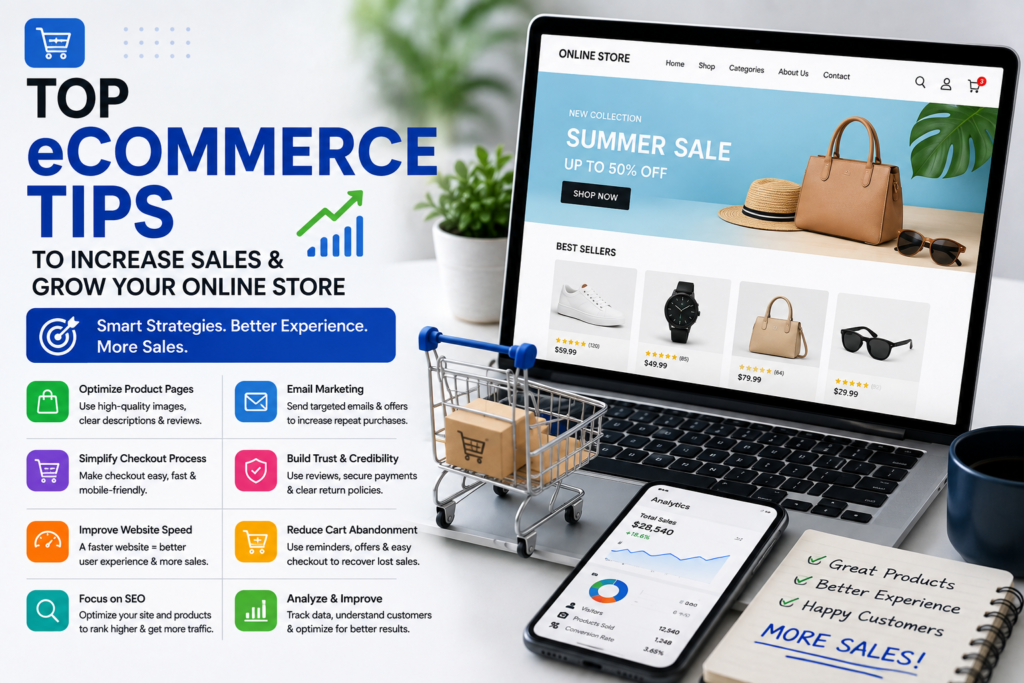
Top eCommerce Tips to Increase Sales andGrow Your Online Store – Primora Commerce Top eCommerce Tips to Increase Sales and Grow Your Online Store Running a successful eCommerce business takes more than simply launching an online store and adding products. Sustainable growth comes from creating a smooth shopping experience, attracting the right customers, optimizing your store for conversions, and continuously improving based on real customer data.Whether you’re running a Shopify store, WooCommerce website, or selling through social commerce platforms, small improvements across your customer journey can have a significant impact on sales and profitability.In this guide, we’ll cover practical eCommerce tips that can help you improve your online store, increase conversions, reduce abandoned carts, and build stronger relationships with customers. 1. Optimize Your Product Pages Your product pages play a major role in converting visitors into customers.A potential buyer should be able to quickly understand what the product is, why they need it, and what makes it different from competing products. Focus on: Clear and persuasive product titlesDetailed but easy-to-read descriptionsHigh-quality product imagesRelevant product benefits and featuresClear pricing and availabilityCustomer reviews and ratingsStrong calls to actionAvoid relying entirely on manufacturer descriptions. Original, customer-focused content can make your products easier to understand while also giving search engines more useful information. 2. Use High-Quality Product Images Online shoppers can’t physically examine your products before purchasing, so images need to do the job of showing customers what they’re buying.Use clear, professional images that show products from multiple angles. Where appropriate, include lifestyle images that demonstrate the product in use. For eCommerce stores, image quality should be balanced with performance. Large, unoptimized images can slow down your website and negatively affect the shopping experience. 3. Make Checkout Simple A complicated checkout process can cause customers to abandon their purchases.Keep the checkout experience as straightforward as possible. Avoid unnecessary form fields, unexpected costs, confusing navigation, or unnecessary steps.Clearly display important information such as:Product and order totalsShipping costsDelivery informationAvailable payment methodsReturn or refund policiesThe easier it is for customers to complete their purchase, the fewer opportunities there are for them to leave before placing an order. 4. Improve Website Speed Website performance matters throughout the buying journey.Slow-loading pages can frustrate visitors, especially when they’re browsing products or trying to complete a purchase on mobile devices.Consider optimizing:Product imagesVideos and animationsPlugins and appsWebsite codeHosting performanceBrowser cachingRegularly testing your website can help identify performance problems before they begin affecting customers. 5. Build Trust Before Asking for the Sale Customers are more likely to purchase when they feel confident about a business.Your website should clearly communicate why customers can trust you. This can include genuine reviews, testimonials, secure payment options, clear contact information, shipping details, and transparent return policies.Trust signals are particularly important for new visitors who may be discovering your brand for the first time. 6. Improve Your eCommerce SEO Search engine optimization can help your store attract people who are actively searching for the products or solutions you offer.Start with the fundamentals:Research relevant search termsOptimize product titles and descriptionsCreate useful category pagesImprove page titles and meta descriptionsUse descriptive URLsAdd internal linksOptimize product imagesPublish helpful contentMake your website mobile-friendlySEO is a long-term strategy, but a well-optimized store can continue attracting organic traffic without relying entirely on paid advertising. 7. Reduce Cart Abandonment Not every visitor who adds a product to their cart will complete the purchase.High cart abandonment rates can indicate problems with the checkout experience, unexpected costs, limited payment options, or a lack of trust.To improve checkout completion, consider:Offering multiple payment methodsShowing shipping costs clearlyKeeping checkout simpleProviding clear delivery informationAdding trust signalsSending abandoned-cart reminders when appropriateUnderstanding why customers abandon their carts can help you make targeted improvements rather than guessing what needs to change. 8. Use Email Marketing to Bring Customers Back The first purchase doesn’t have to be the end of the customer relationship.Email marketing can help eCommerce businesses stay connected with existing customers and encourage repeat purchases. You can use email campaigns for: Welcome messagesNew product announcementsSpecial offersProduct recommendationsAbandoned cartsPost-purchase follow-upsCustomer retention campaignsBuilding a permission-based email list gives your business a valuable channel for communicating directly with customers. 9. Use Analytics to Understand Customer Behavior Data can help you understand what’s actually happening inside your online store.Monitor important metrics such as:Conversion rateAverage order valueTraffic sourcesProduct performanceCart abandonmentReturning customersRevenue by channelAnalytics can reveal where customers are dropping out of the buying journey and which products or marketing channels are generating the best results.Use these insights to make informed changes and continuously improve your store. 10. Create a Consistent Shopping Experience Across Channels Today’s customers may discover your business through Google, Instagram, Facebook, TikTok, or another platform before eventually visiting your website.Your branding, product information, pricing, and customer experience should remain consistent across these channels.For businesses selling through multiple platforms, keeping product catalogs and information organized can also reduce errors and create a more reliable customer experience. Keep Testing and Improving There is no single eCommerce strategy that works perfectly for every business.What works for one store may not work for another because of differences in products, customers, pricing, competition, and market position. Test different elements of your store, including: Product page layoutsHeadlinesCalls to actionImagesOffersCheckout experiencePromotional campaignsThen use your data to determine what actually improves results. Turn Your Online Store Into a Growth Engine Growing an eCommerce business requires continuous optimization. From product pages and website performance to SEO, checkout, customer trust, and marketing, every part of the customer journey can influence your results. The most successful online stores don’t simply focus on getting more traffic. They focus on turning more of that traffic into customers and encouraging those customers to come back. Whether you’re starting a new online store or looking to improve an existing one, the right strategy, structure, and optimization can create a stronger foundation for long-term growth. Ready to Improve Your eCommerce Store? If you need help building, optimizing, or growing your online store, explore our eCommerce Services to see how Primora Commerce can help you create a stronger online shopping experience and
Custom Website Design: Build Fast Modern & Conversion Focused Websites – Primora Commerce

Custom Website Design: Build Fast, Modern& Aug 28, 2026, 12:39 NewConversion-Focused Websites – PrimoraCommerce Custom Website Design: How a Professional Website Helps Your Business Grow A professionally designed website is more than an online presence—it is one of the most important assets for a modern business. Your website is often the first place potential customers interact with your brand, and a clear, professional experience can make the difference between a visitor staying on your site or leaving for a competitor. Whether you’re launching a new business, building an online brand, or redesigning an outdated website, custom website design can help you create a digital experience that reflects your brand, engages visitors, and supports your business goals. A successful website should look professional, load quickly, work smoothly across devices, and make it easy for visitors to find the information they need. More importantly, every page should have a clear purpose and guide visitors toward taking the next step. Why Professional Website Design Matters A website represents your business 24/7. Even if your products and services are excellent, an outdated, confusing, or slow website can make potential customers question the credibility of your brand. A professional website design helps create a strong first impression while making your business easier to understand and interact with. An effective website can help you: Build trust and credibility Present your brand professionally Improve the user experience Generate more leads and inquiries Increase online sales Make your business easier to find through search engines Provide a consistent experience across desktop, tablet, and mobile devices The goal isn’t simply to create a website that looks attractive. It should be designed around your customers and your business objectives. What Makes a High-Performing Website? A successful website combines visual design with functionality, usability, and performance. Several elements work together to create an experience that encourages visitors to stay, explore, and take action. 1. Clean and Modern Design Your website should immediately communicate who you are and what your business offers. A clean layout, professional typography, consistent branding, high-quality visuals, and an organized structure can make your website easier to understand while creating a stronger impression of your business. Good design also means avoiding unnecessary elements that distract visitors from your main message. 2. Mobile-Responsive Design A large portion of website traffic comes from smartphones and tablets. If your website doesn’t adapt properly to smaller screens, visitors may struggle to read content, navigate menus, fill out forms, or complete purchases. Responsive design ensures that your website provides a smooth experience across different screen sizes. Your pages should be easy to navigate whether someone visits from a desktop computer, tablet, or smartphone. 3. Fast Website Performance Website speed affects both user experience and business performance. Visitors generally don’t want to wait for slow pages to load. A fast website makes it easier for users to browse your content, view products, submit inquiries, and complete purchases. A performance-focused design should consider factors such as optimized images, efficient page structure, lightweight elements, and reliable hosting. 4. Simple and Intuitive Navigation Visitors should not have to search through your website to understand where to go next. Clear navigation helps users quickly access important sections such as: Services About Portfolio Products Contact Pricing Blog A well-organized navigation structure also helps search engines understand the relationship between different pages on your website. 5. Clear Calls to Action A website should guide visitors toward meaningful actions. Depending on your business, a call to action could encourage visitors to: Request a Quote → Book a Call → Contact Your Business → Buy a Product → Get Started Strategically placed calls to action make it easier for visitors to understand what they should do next. Instead of simply telling visitors about your business, your website should make taking the next step simple. SEO-Friendly Website Structure Great design and SEO should work together. A website can look impressive but still struggle in search results if its structure isn’t optimized properly. An SEO-friendly website should have a logical page hierarchy, descriptive URLs, optimized titles and headings, useful content, internal links, mobile-friendly layouts, and a structure that search engines can easily crawl. This is especially important when creating service pages and content designed to attract potential customers through organic search. When design, content, technical performance, and SEO are considered together from the beginning, your website has a stronger foundation for long-term growth. Custom Design vs. Generic Website Templates Templates can be useful for businesses that need a simple website quickly. However, they can also create limitations when your website needs to communicate a specific brand identity or provide a customized customer experience. A custom approach allows important elements of the website to be designed around your business, including: Brand identity Target audience Content structure Customer journey Conversion goals Services or products Website functionality This doesn’t mean every website needs to be built from scratch. The important thing is creating a website that fits the business rather than forcing the business to fit a generic layout. Designing Websites for Business Growth A website should support your larger digital marketing strategy. For example, a service-based business may need landing pages that generate inquiries, while an eCommerce brand may need a product-focused experience that makes browsing and purchasing easy. The right design depends on what you want your website to accomplish. At Primora Commerce, our approach focuses on creating websites that combine modern design, responsive layouts, usability, performance, and conversion-focused structure. From business websites and landing pages to eCommerce experiences, each project is planned around the needs of the brand and its customers. When Should You Redesign Your Website? Not every website needs to be replaced immediately. However, a redesign may be worth considering if your current website: Looks outdated Doesn’t work properly on mobile devices Loads slowly Is difficult to navigate Doesn’t reflect your current brand Has poor conversion rates Makes it difficult for customers to contact you Has an outdated or confusing structure A redesign isn’t simply about making a website look newer.
Google Merchant Center Setup Guide: Boost Product Visibility & Sales
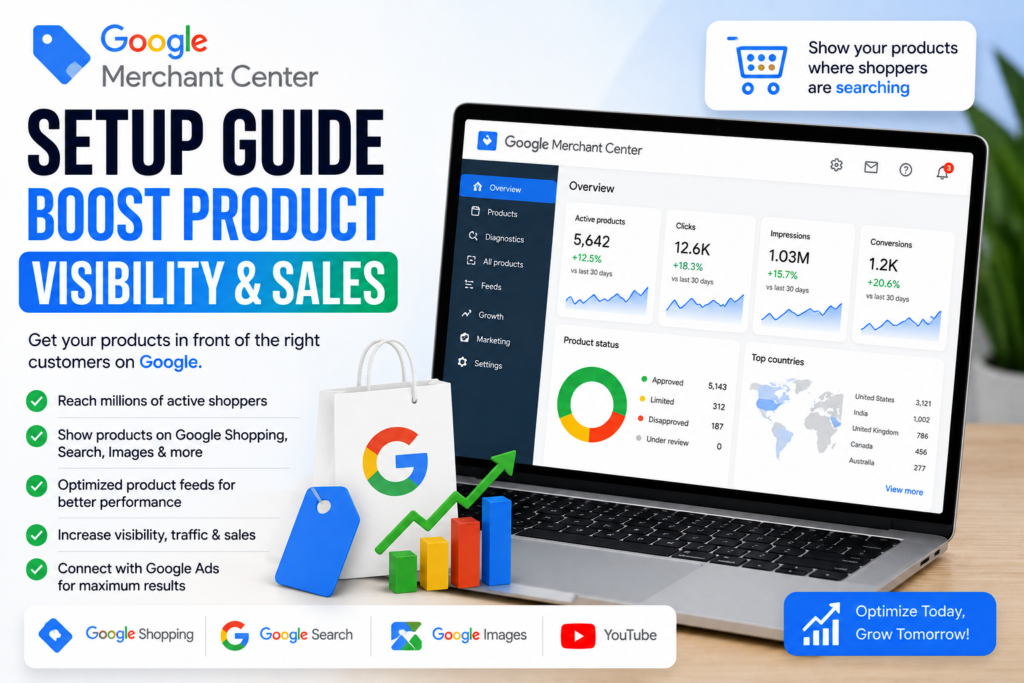
Google Merchant Center Setup | Primora Commerce Getting your products discovered online is essential for growing an eCommerce business. Google Merchant Center helps businesses submit and manage product information so their products can appear across Google’s shopping-related experiences. However, simply creating a Merchant Center account isn’t enough. Your product data needs to be accurate, complete, and properly optimized to give Google the information it needs to understand and display your products. In this guide, we’ll walk through the key steps involved in Google Merchant setup, product feed optimization, account configuration, and ongoing improvements that can help increase product visibility and attract more qualified shoppers. What Is Google Merchant Center? Google Merchant Center is a platform that allows businesses to upload and manage information about the products they sell online. Your product information can then be used across eligible Google surfaces, helping potential customers discover your products when they search for relevant products or shopping-related queries. For eCommerce businesses, Merchant Center can become an important part of a broader strategy that combines product optimization, SEO, paid advertising, and conversion optimization. Why Google Merchant Center Matters for eCommerce Customers often begin their buying journey by searching for a specific product on Google. A properly configured Merchant Center account can help your products become more discoverable when shoppers are looking for what you sell. The benefits can include: Better product visibility More qualified shopping traffic Improved product information Better control over product feeds Opportunities to appear across Google’s shopping experiences More useful product performance data The quality of your product information plays an important role in how effectively Google can understand your inventory. How to Set Up Google Merchant Center 1. Create Your Merchant Center Account Start by creating your Google Merchant Center account and providing your business information. Make sure your business name, website, contact information, and other account details accurately represent your business. Consistency is important, especially when connecting Merchant Center with your eCommerce website. 2. Add and Verify Your Website Your website should be connected to your Merchant Center account and properly verified. Make sure the website you’re submitting is your actual business website and that customers can access your products, checkout process, shipping information, and other important pages. Before submitting products, check that your website is working correctly on both desktop and mobile devices. 3. Configure Your Business Information Complete the important business settings inside Merchant Center. Depending on your business and target market, this can include information related to: Business details Shipping Returns Customer support Target countries Currency Tax settings where applicable Accurate information helps create a more reliable shopping experience. 4. Connect Your Product Feed Your product feed provides Google with information about the products in your store. Important product attributes can include: Product title Description Product URL Image Price Availability Brand GTIN or other product identifiers where applicable Product category Shipping information If you’re using platforms such as Shopify or WooCommerce, product data can often be connected through an appropriate integration or feed system. Keeping your feed synchronized is important because changes to your store—such as price, inventory, or product availability—need to be reflected accurately. 5. Optimize Product Titles Product titles are one of the most important elements of your product data. Instead of using vague titles, create clear titles that describe exactly what the product is. For example: Weak: Premium Shoes Better: Men’s Leather Running Shoes – Black Your product title should accurately describe the product while naturally including useful information that shoppers may search for. Avoid keyword stuffing or misleading information. 6. Write Better Product Descriptions Product descriptions should clearly explain what the product offers and why it is useful. Include relevant information such as: Key features Product benefits Materials Size or dimensions Compatibility Important specifications Usage information Keep the content easy to understand and make sure it accurately represents the actual product. 7. Use High-Quality Product Images Images have a major impact on how shoppers perceive products. Use clear, professional product photography and make sure your primary image accurately represents the product being sold. Avoid using misleading images, excessive text overlays, or images that don’t clearly show the actual product. Also optimize image file sizes where possible so your website remains fast. 8. Keep Product Data Accurate One of the biggest mistakes businesses make is allowing product information to become outdated. Your Merchant Center data should match the information customers see on your website. Pay particular attention to: Price Availability Product URLs Images Product variants Shipping information If a product is unavailable on your website but your feed still shows it as available, it can create problems for both shoppers and your product data quality. 9. Fix Merchant Center Product Issues After connecting your products, regularly review Merchant Center for warnings or errors. Common problems can involve: Missing product information Incorrect prices Availability mismatches Missing identifiers Invalid product URLs Image problems Shipping configuration Policy-related issues Don’t simply ignore these notifications. Resolving product data problems can improve the quality and reliability of your catalog. 10. Optimize Your eCommerce Website Merchant Center works best when your product feed and website provide consistent, accurate information. Your product pages should have: Clear product names Accurate descriptions High-quality images Visible pricing Availability information Easy navigation Secure checkout Clear shipping and return information A well-optimized product feed can attract visitors, but your website ultimately needs to convert those visitors into customers. 11. Monitor Performance and Improve Setting up Merchant Center is not a one-time task. Review your product performance regularly and look for opportunities to improve your titles, descriptions, images, pricing, landing pages, and overall shopping experience. Use the available performance information to identify which products are attracting attention and which may need further optimization. Google Merchant Setup for Shopify and WooCommerce If your store is built with Shopify or WooCommerce, maintaining accurate product information across your store and Google Merchant Center is especially important. Product changes should be reflected consistently across your catalog, including prices, inventory, images, descriptions, and product URLs. A properly configured integration can reduce
How to Maximize Sales with Meta Commerce in 2026

How to Maximize Sales with Meta Commerce in 2026 Meta Commerce gives businesses an opportunity to showcase and sell products across Facebook and Instagram while creating a convenient shopping experience for customers. With the right setup and strategy, businesses can use Meta’s commerce tools to increase product visibility, attract qualified shoppers, and generate more online sales. What Is Meta Commerce? Meta Commerce allows businesses to connect their product catalogs with Meta platforms such as Facebook and Instagram. Depending on eligibility and available features, businesses can showcase products, use product tags, organize catalogs, and direct customers toward their online store. A well-optimized Meta Commerce setup can help your products reach potential customers while they are discovering brands, engaging with content, and researching products on social media. How to Set Up Meta Commerce A successful setup starts with accurate business information, a properly configured product catalog, and a connected online store. Before launching your shopping experience, make sure your website has clear product information, accurate pricing, high-quality images, secure checkout, and essential business policies. Your product catalog should also contain complete and consistent information so customers can easily understand what you are selling. If you use platforms such as Shopify or WooCommerce, connecting your store with Meta can make catalog management and product synchronization easier. Optimize Your Meta Product Catalog Your product catalog is one of the most important parts of Meta Commerce. Product titles, descriptions, images, prices, availability, and other details should be accurate and optimized for both customers and search visibility. Use clear product names that explain what the product is and avoid unnecessary keywords or confusing descriptions. High-quality product images should clearly show the product and maintain a consistent visual style across your catalog. Regularly review your catalog for missing information, rejected products, outdated prices, or inventory issues. Keeping your catalog accurate can help create a better shopping experience and reduce potential problems with your products. Use Product Tagging to Increase Product Discovery Product tagging can help customers discover products directly from your Facebook and Instagram content. When appropriate products are tagged in posts or other eligible shopping content, interested users can move from content discovery toward product information and your online store. Create content that naturally demonstrates your products rather than relying only on promotional posts. Product demonstrations, educational content, customer-focused visuals, and lifestyle content can all help generate interest and encourage shoppers to explore your products. Connect Meta Commerce with Your Online Store Your social media shopping experience should work together with your website rather than operating separately. Make sure product information, pricing, availability, and images remain consistent between your Meta catalog and online store. Your website should also provide a fast, mobile-friendly experience with simple navigation and an easy checkout process. A strong eCommerce website gives customers a reliable place to learn more about your products and complete their purchases after discovering your brand through Facebook or Instagram. Use Meta Ads to Reach More Potential Customers Meta Ads can complement your organic shopping strategy by helping you reach specific audiences with product-focused campaigns. Businesses can use different campaign approaches depending on their goals, including product promotion, retargeting, customer acquisition, and remarketing. Your advertising strategy should be based on your audience, product margins, customer behavior, and conversion data. Avoid sending paid traffic to poorly optimized product pages. Before increasing your advertising budget, make sure your website, product pages, catalog, and checkout experience are ready to convert visitors into customers. Improve Your Shopping Experience Increasing sales is not only about getting more visitors. Your entire customer journey should make it easy for shoppers to understand your products and take action. Focus on: – Clear and persuasive product descriptions– High-quality product images– Fast-loading pages– Mobile-friendly design– Simple website navigation– Transparent pricing and shipping information– Secure payment options– Customer reviews and trust signals– A straightforward checkout process Small improvements across these areas can make a significant difference in conversion rates and customer satisfaction. Track Performance and Improve Your Strategy Use available analytics and performance data to understand how customers interact with your products and campaigns. Monitor important metrics such as product views, clicks, engagement, conversions, advertising performance, and revenue. Identify which products and content generate the strongest results, then use those insights to improve your catalog and marketing strategy. Meta Commerce should be treated as an ongoing process rather than a one-time setup. Regular optimization can help your business adapt to customer behavior and changing market conditions. Final Thoughts Meta Commerce can be a valuable part of a modern eCommerce strategy when your catalog, social media content, advertising, and website work together. By maintaining accurate product information, improving product discovery, creating engaging content, and optimizing the customer journey, businesses can build a stronger path from social media discovery to purchase. Whether you are selling through Shopify, WooCommerce, or another eCommerce platform, a properly configured Meta Commerce setup can help your products reach more potential customers and support long-term online growth. Need help setting up or optimizing Meta Commerce for your business? Explore our Meta Commerce services or contact Primora Commerce to discuss your project.
How to Grow Your Sales with TikTok Shop in 2026

How to Grow Sales with TikTok Shop | Primora Commerce TikTok Shop has changed the way businesses discover, promote, and sell products online. Instead of relying only on traditional eCommerce websites or paid advertising, brands can showcase products directly through short-form videos, live shopping, creator content, and the TikTok Shop experience. For businesses that understand how TikTok users discover and purchase products, the platform can become a powerful sales channel. However, simply adding products to TikTok Shop is not enough. Success depends on having a properly configured shop, optimized product listings, engaging content, and a strategy that turns viewers into customers. In this guide, you’ll learn practical ways to set up and grow a TikTok Shop, improve product visibility, create content that attracts buyers, and build a stronger eCommerce presence in 2026. What Is TikTok Shop? TikTok Shop allows eligible businesses and sellers to showcase products within the TikTok ecosystem. Customers can discover products while watching videos, browsing shopping experiences, or engaging with live content. This makes TikTok different from traditional eCommerce platforms. Instead of customers always searching for a specific product first, they can discover products through entertaining or educational content and then move toward purchasing. For brands, this creates an opportunity to combine content marketing and eCommerce in one platform. Set Up Your TikTok Shop Correctly A strong TikTok Shop starts with a proper setup. Before focusing on sales, make sure your seller account, business information, payment details, shipping settings, product catalog, and required documentation are configured correctly. Your shop should also provide accurate information about your products, pricing, inventory, shipping, and policies. A poorly configured shop can create unnecessary problems later, while a properly organized setup gives you a stronger foundation for product promotion and growth. Optimize Your TikTok Shop Product Listings Product optimization is one of the most important parts of TikTok Shop success. Your products need clear titles, persuasive descriptions, high-quality images, accurate pricing, and complete product information. Avoid writing descriptions only for search engines. Your content should also help real customers quickly understand what the product does and why they should consider buying it. When optimizing your listings, focus on: – Clear and descriptive product titles– Relevant product keywords– Easy-to-understand descriptions– High-quality product images– Accurate pricing and product variations– Correct inventory information– Clear shipping details– Strong product benefits– Relevant product categories and attributes Think of every product listing as a sales page. The goal is not simply to make the product available—it is to give shoppers enough information and confidence to make a purchase. Create TikTok Content That Sells Without Feeling Like an Advertisement One of the biggest advantages of TikTok Shop is the ability to connect products with short-form content. However, simply creating an advertisement and posting it on TikTok may not produce the results you expect. TikTok users generally respond better to content that feels natural, entertaining, useful, or relatable. Instead of starting every video with a direct sales pitch, demonstrate the problem your product solves, show the product in action, explain its benefits, answer common questions, or create content around situations where the product would naturally be useful. Some effective content approaches include: – Product demonstrations– Before-and-after content– Tutorials and how-to videos– Problem-and-solution videos– Product comparisons– Customer-focused content– Frequently asked questions– Unboxing videos– Product benefits and features– Trend-based content relevant to your audience The objective is to make the product part of the content rather than making the entire video feel like an advertisement. Use Strong Hooks to Capture Attention The first few seconds of a TikTok video can determine whether someone keeps watching or scrolls away. Start your videos with a strong reason for the viewer to continue watching. For example: Here’s why so many online stores are using this product. Before you buy this, watch this. I didn’t expect this product to solve this problem. You might be using this the wrong way. The exact hook should depend on your product and audience. The important thing is to create curiosity and immediately communicate why the video is worth watching. Take Advantage of TikTok Trends Carefully Trends can help increase content discovery, but not every trend is suitable for every business. Instead of copying a trend without a strategy, look for ways to adapt trending formats, sounds, topics, or storytelling styles to your product and target audience. A relevant trend can make your content feel native to TikTok while still communicating your product’s value. The best approach is to combine trends with useful or entertaining product-focused content rather than depending entirely on trends for sales. Use TikTok Live Shopping Live shopping can create a more interactive buying experience by allowing businesses to demonstrate products and communicate with potential customers in real time. During a live session, you can answer questions, demonstrate products, explain features, address objections, and encourage viewers to explore featured products. For suitable products and audiences, consistent live shopping can become an important part of a TikTok Shop marketing strategy. Preparation is essential. Plan your products, talking points, demonstrations, offers, and frequently asked questions before going live. Work With Creators and Affiliates TikTok’s creator ecosystem provides another opportunity for businesses to reach potential customers. Relevant creators can demonstrate products to audiences that already trust their content. This can help brands generate product awareness and create social proof. When choosing creators, don’t focus only on follower count. Consider whether their audience matches your target customers, whether their content style fits your brand, and whether their audience actively engages with their content. A smaller creator with a highly relevant audience can sometimes be more valuable than a large account with an unrelated audience. Build Trust Before Asking for the Sale Customers are more likely to purchase when they understand the product and trust the seller. Your TikTok Shop presence should therefore communicate professionalism and reliability. Use accurate product information, quality visuals, clear policies, responsive customer service, and consistent branding. Customer reviews and authentic product demonstrations can also help potential buyers feel more confident. Remember that a customer may discover
How to Build a High-Converting Shopify Store in 2026
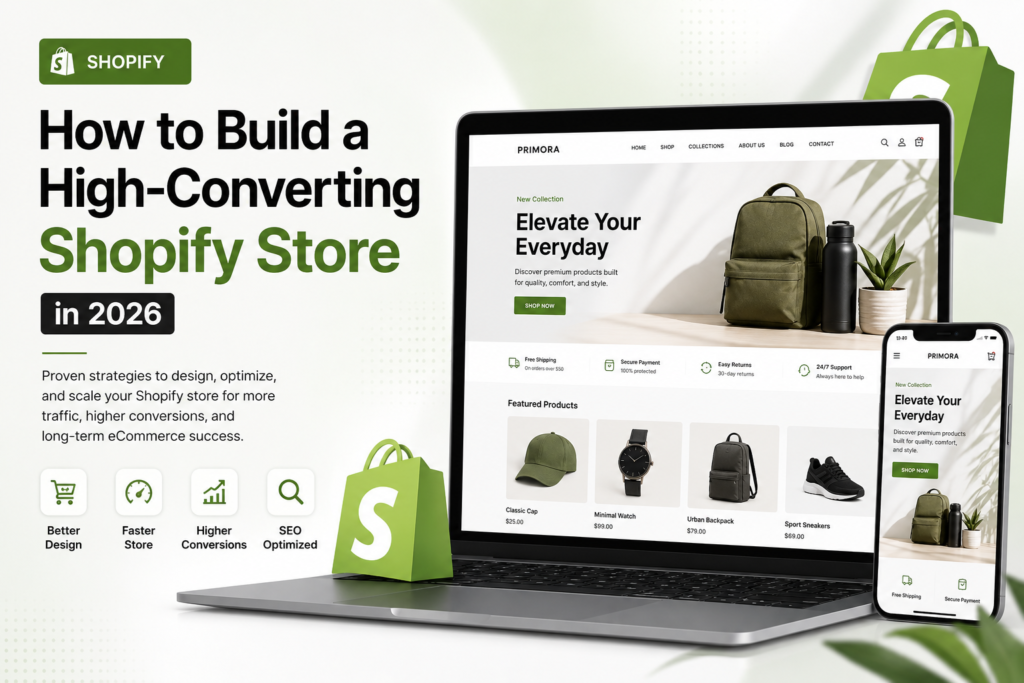
How to Build a High-Converting Shopify Store | Primora Commerce Building a successful Shopify store is about much more than choosing an attractive theme and adding products. A high-performing online store needs to provide a smooth shopping experience, communicate value clearly, load quickly, work well on mobile devices, and guide visitors toward making a purchase. Whether you’re launching a new brand or improving an existing Shopify store, small improvements across your website can have a significant impact on conversions and long-term growth. In this guide, we’ll cover practical Shopify strategies for creating a professional, user-friendly, SEO-friendly, and conversion-focused online store in 2026. Start With a Clear Shopify Store Strategy Before choosing a theme or installing apps, define what you want your Shopify store to accomplish. Think about your target customers, products, pricing, competitors, brand positioning, and the actions you want visitors to take. A clear strategy helps you make better decisions about your store structure, design, navigation, content, and marketing. Your Shopify store should make it easy for visitors to answer three questions: – What are you selling? – Why should they choose your products? – How can they buy? If those answers aren’t immediately clear, visitors may leave before exploring your products. Choose a Professional Shopify Design Your store design creates the first impression of your brand. A professional design should reflect your brand identity while keeping the shopping experience simple and intuitive. Avoid filling your website with unnecessary animations, pop-ups, colors, or design elements that distract customers from your products. Focus on: – Clear typography – Consistent branding – High-quality product images – Simple navigation – Strong visual hierarchy – Clear calls to action – Easy-to-use menus – Consistent layouts across pages A beautiful Shopify store should also be functional. Design decisions should support the customer journey rather than simply making the website look impressive. Optimize Your Shopify Product Pages Product pages are where many purchasing decisions are made. A strong product page should provide enough information for customers to understand the product, evaluate its benefits, and feel confident about purchasing. Include: – Clear product titles – Detailed product descriptions – High-quality images – Product benefits and features – Pricing and availability – Product variations – Customer reviews – Shipping information – Return or refund information – Clear add-to-cart buttons Instead of focusing only on product specifications, explain how the product can help the customer. Improve Your Product Images Customers can’t physically examine products through an online store, so images play an important role in the buying decision. Use high-quality images that clearly show your products from useful angles. Depending on the product, consider adding lifestyle images, close-up details, size references, or product demonstrations. At the same time, avoid uploading unnecessarily large image files. Proper image optimization can help maintain good website performance without sacrificing visual quality. Make Your Shopify Store Mobile-Friendly A large percentage of online shoppers use mobile devices. Your Shopify store should therefore be designed and tested for smartphones as well as desktop computers. Check that: – Text is easy to read – Buttons are easy to tap – Product images display correctly – Menus are simple to use – Forms work properly – Product variations are easy to select – Checkout works smoothly Don’t assume that a desktop-perfect website automatically provides a good mobile experience. Test important customer journeys directly on different screen sizes. Improve Shopify Store Speed Performance can affect both user experience and conversions. Large images, excessive apps, unnecessary scripts, videos, and poorly optimized theme elements can slow down your store. Review your installed apps regularly and remove anything your business no longer needs. Also consider optimizing images, reducing unnecessary page elements, and using a lightweight theme structure where appropriate. A faster store gives visitors a smoother browsing experience and makes it easier for customers to explore products and complete purchases. Keep Shopify Navigation Simple Customers should be able to find products quickly. Organize your store into logical categories and make important pages easy to access. Your navigation may include: – Home – Shop – Product Categories – About – Contact – FAQ – Shipping – Returns Avoid creating complicated menus with too many unnecessary options. Good navigation helps customers find what they’re looking for while also making it easier for search engines to understand your website structure. Simplify the Checkout Experience Getting customers to add products to their cart is only part of the process. You also need to make completing the purchase as easy as possible. Review your checkout experience and look for unnecessary friction. Make important information clear, including: – Product totals – Shipping costs – Delivery information – Available payment options – Return policies – Contact information Unexpected costs or confusing checkout steps can cause customers to abandon their purchases. Use Shopify Apps Strategically Shopify’s app ecosystem provides tools for marketing, customer support, analytics, reviews, email marketing, product management, and other functions. However, installing too many apps can create unnecessary complexity and potentially affect website performance. Before adding an app, ask: – Does my store actually need this? – Does it solve a specific business problem? – Will it improve the customer experience? – Could another existing tool provide the same functionality? Use apps strategically rather than installing them simply because they’re popular. Optimize Your Shopify Store for SEO A well-designed Shopify store also needs a strong SEO foundation. Focus on important areas such as: – Product titles – Product descriptions – Page titles – Meta descriptions – URL structure – Image alt text – Internal linking – Collection pages – Helpful content – Mobile usability – Website performance Create content that answers the questions your potential customers are actually searching for. SEO should be approached as a long-term strategy rather than a one-time task. Build Trust With Customers Visitors need confidence before they purchase from an online store, especially when they’re discovering a brand for the first time. Add genuine trust signals throughout your customer journey. These can include: – Customer reviews – Testimonials – Clear